Gemini in Chrome Reaches US Android With Auto Browse
Charmaine Dsilva, Director, Product Management, Chrome, said on 18 August 2026 that Gemini in Chrome is available to all Android users in the United States. Auto browse, the agentic multi-step mode, is for Google AI Pro and AI Ultra subscribers on US Android. Rollout is gradual.
PromptCrates Editorial
Staff Writer
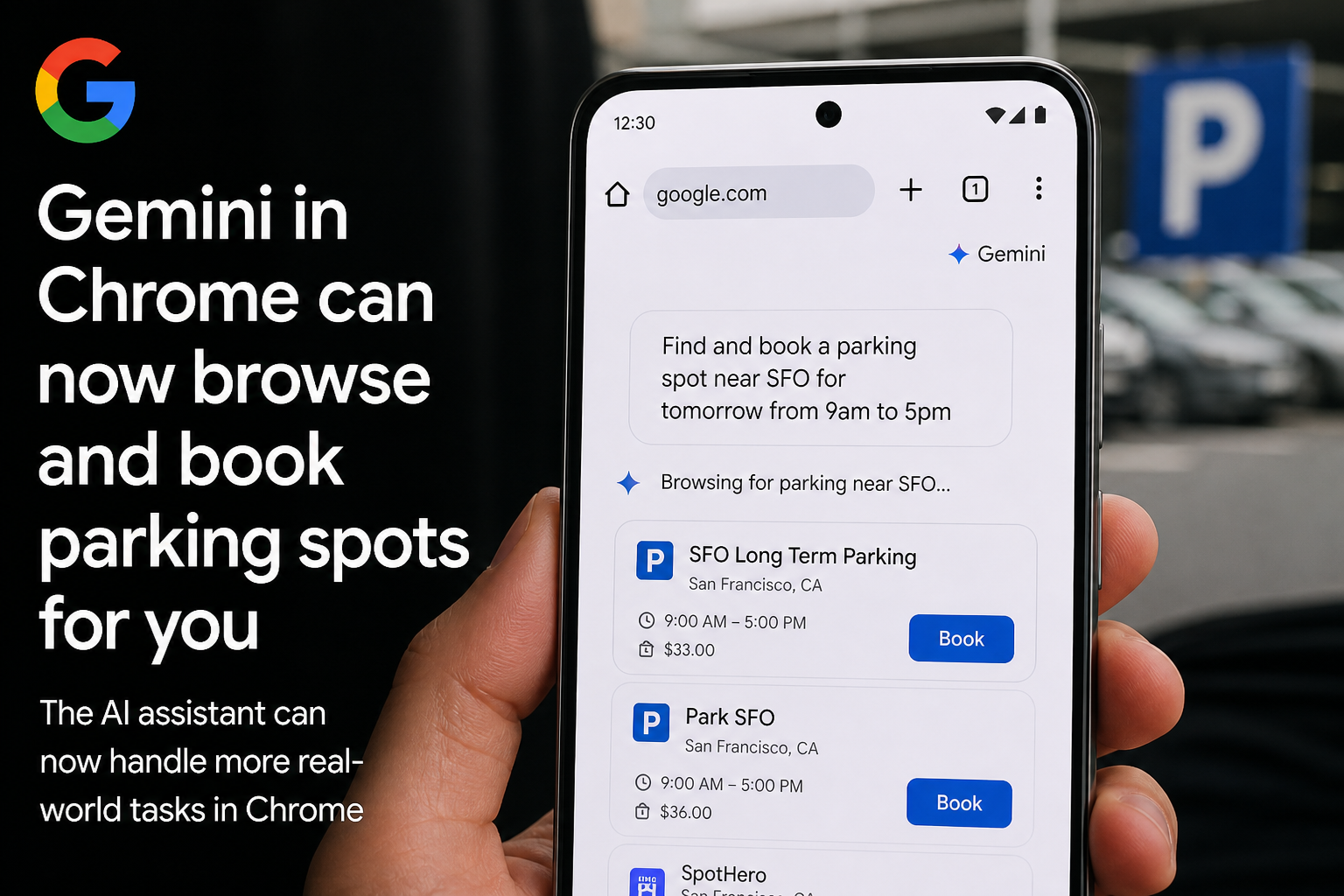
Charmaine Dsilva, Director, Product Management, Chrome, said in an 18 August 2026 Google post that Gemini in Chrome is now available to all Android users in the United States, after a June start on select devices.
Auto browse — agentic, multi-step web tasks — is not in that “all Android” bucket. It is for Google AI Pro and AI Ultra subscribers on Android in the US.
The rollout is gradual. Work and school accounts need an admin to turn it on. Auto browse is not on iPhone or iPad.
Where Gemini in Chrome lives on Android
Gemini in Chrome sits on the Android Chrome top bar. Open it from the Gemini icon or the three-dot menu.
On the page, it can summarize a long article and answer questions about what you are looking at. It can connect Calendar and Keep. Image tools run through Nano Banana.
That is the everyday layer. It is a page assistant, not a new browser. If your skill already tells a model to “read this URL,” the on-device surface is now an alternative for US Android Chrome. Pin the surface. Do not assume the same answers as a Gemini 3.7 Flash API loop.
Auto browse is the paid agent, not the free summary
Auto browse is Google’s name for agentic multi-step web tasks. Examples in the post: book parking, update a recurring online order, organize travel.
It is for Google AI Pro and AI Ultra subscribers on Android in the US. It is not on iPhone or iPad. Do not write a cross-platform skill that pretends otherwise.
Google says models were trained to detect prompt injection, and that auto browse asks for confirmation before some sensitive tasks. Those are vendor security claims. Treat confirmation as required in the skill even if a run sometimes skips the prompt you expected.
A Skill prompt for auto browse should list allowed sites, banned payment actions, and a hard stop after a fixed number of steps. “Organize travel” is not a spec. “Open this airline site, compare these three dates, do not purchase” is a spec.
Log the URL. Require confirmation before login, pay, or send. If the page asks the agent to change its goal, refuse.
What is not in this launch
Work and school accounts need admin enablement. If company Chrome is managed, the Gemini icon can be missing until an admin allows it. Check policy before you tell a team the feature is “out.”
The US Android expansion follows select devices in June. Google is still rolling it out. A missing icon this week is not proof your device is excluded forever, and a present icon is not proof auto browse is on. Auto browse still needs the Pro or Ultra subscription.
Data-handling questions around Google products remain a separate file. Do not mash this Chrome surface into the Spirit Airlines internal-data story. This launch is a browser assistant and a paid agent mode.
Practical takeaways
- US Android Chrome, Gemini icon or three-dot menu.
- Summaries, page Q&A, Calendar, Keep, Nano Banana images: the base layer.
- Auto browse: AI Pro and AI Ultra, US Android only, gradual.
- Confirmation before sensitive tasks: keep it in the skill.
- Managed work/school Chrome: wait for admin enablement.
Sources
- Gemini in Chrome on Android and Auto browse — Google, Charmaine Dsilva, 18 August 2026
- Gemini in Chrome Android availability in the US — The Verge