Firefox Smart Window Adds Exa Search, Tab Groups, and History Previews
Mozilla, with Head of Firefox Ajit Varma, said on 18 August 2026 that Firefox Smart Window now partners with Exa for inline web answers, suggests tab groups, closes duplicate tabs, and shows visual history previews. Optional beta, English, US and Canada, at firefox.com/smart-window. Still no precise GA date.
PromptCrates Editorial
Staff Writer
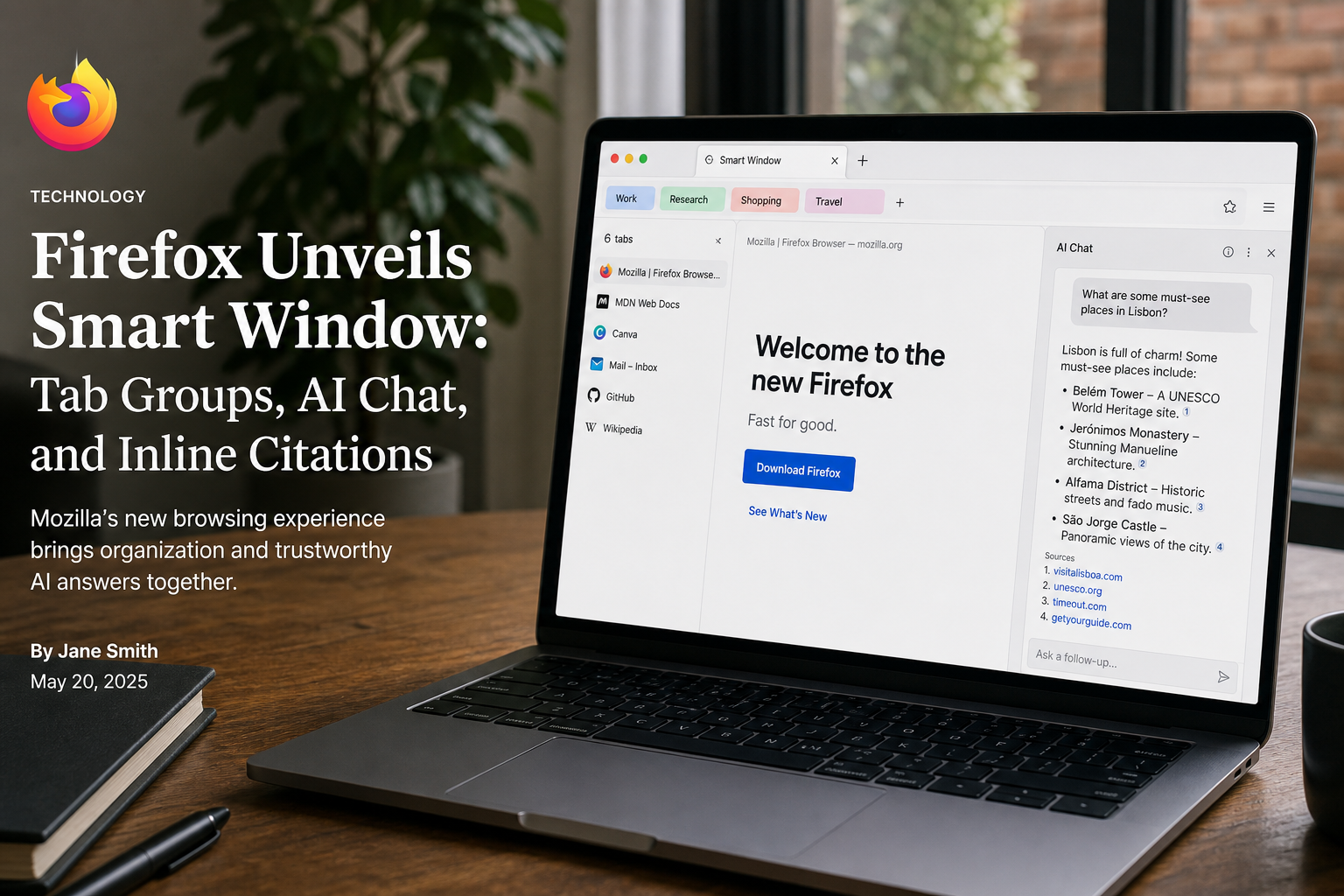
Mozilla said on 18 August 2026 that Firefox Smart Window now retrieves current web answers through Exa, suggests tab groups, and shows visual history previews — an optional English beta for people in the United States and Canada.
Ajit Varma, Head of Firefox, framed it as using the context already in the browser — open tabs and relevant history — without taking over the session. Try it at firefox.com/smart-window. It remains beta. Varma told The Verge there is no precise date yet for leaving beta.
What Firefox Smart Window added this week
The Exa partnership is the search change. Smart Window can pull current web information and show sources in the response instead of sending you to a separate search-results page. That is Mozilla’s description: retrieval with citations inline, not a new SERP tab.
Tab groups are the organization change. Smart Window can suggest groups for related tabs. It can also spot duplicate tabs and close them with a click. History previews are the memory change: visual snapshots of pages you already visited, so you can recognize a page by how it looked rather than by a title you forgot.
The Verge’s Stevie Bonifield watched a demo that sorted selected history for a query like running shoes from last week and surfaced images from those pages. Future work Mozilla listed: surfacing recent browsing journeys, and using relevant information to help fill online forms, with the user still choosing which tabs to share. No ship date on those.
Choice, models, and the zero-retention claim
Smart Window is optional. You choose when to use it, which browsing context it may see, and which model runs. Firefox AI Controls can turn it off entirely. Last November this was “AI Window.” Mozilla says months of beta feedback pushed it toward everyday browsing help rather than a chat overlay.
Model choice, from Varma’s Verge interview: Gemini 3.1 Flash Lite, OpenAI’s oss-gpt-120b, Alibaba’s Qwen3-235B-A22B-Instruct-2507, or local models. Varma called the stance agnostic and talked about digital sovereignty — picking a regional or on-device model instead of one big lab.
Steve Truong, AI senior staff product manager, said the third-party models run under zero-data-retention contracts: prompts operated on in memory, not stored to train models, support advertising, or allow human review. He said Mozilla itself does not retain user chats on its servers without permission for training or ads. That is a vendor contract claim. Keep it in the skill as “Mozilla-stated,” and remember local models never leave the machine only if you actually select them.
If you already pin cheap Flash-class models in agent loops, the Gemini 3.7 Flash pricing note still applies: the browser picker is not your production pin. Write a Skill prompt that names the model, the tabs in scope, and the off switch. And if a tool’s default terms quietly train on chats, the Cursor Origin unpublished-data story is why you read the retention sentence twice.
Practical takeaways
- English, US and Canada, optional beta. Do not skill as if it is GA worldwide.
- Exa answers with inline sources; it is not a replacement SERP you can scrape.
- Duplicate-tab close and suggested groups are one-click helpers, not a new sync product.
- Pick the model in AI Controls. ZDR is Mozilla’s contract claim, not your DPA.
Sources
- Smart Window: Finish what you start online — Mozilla Blog, 18 August 2026
- Firefox’s Smart Window promises a better AI browser — The Verge, 18 August 2026