Google Gemini Omni 1.1 Flash Adds 10-Second Scene Extension
Google launched a new Omni video model on 28 August 2026 with longer scene context.
PromptCrates Editorial
Staff Writer
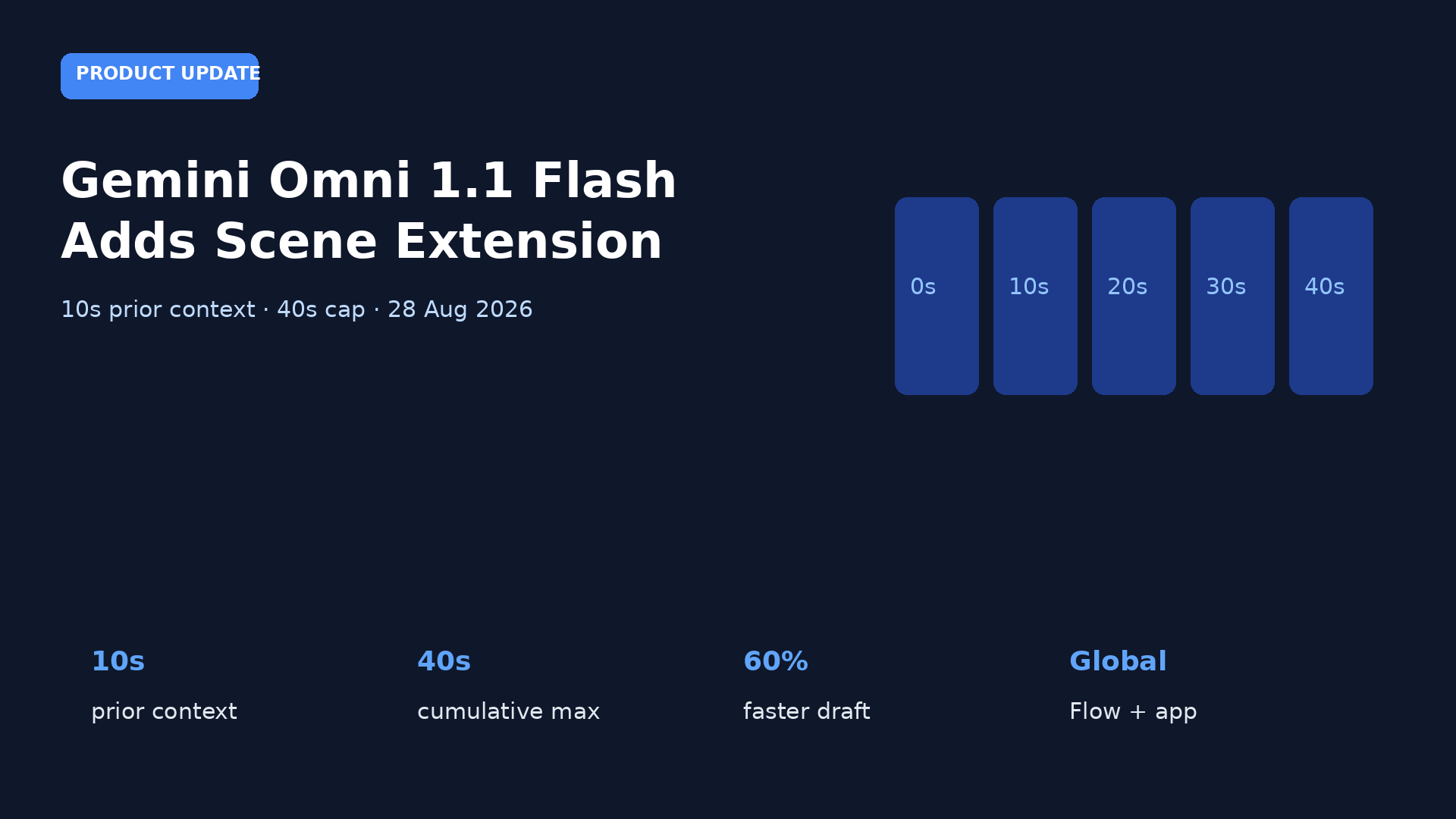
On Thursday, 28 August 2026, Google launched Gemini Omni 1.1 Flash, a generative video update whose scene extension can read up to 10 seconds of prior footage instead of about one second. Developers extend clips in 10-second steps to a 40-second cumulative cap, steer orbits and zooms with first-and-last-frame keyframes, and use a 360p draft mode Google said is up to 60 percent faster and about one-third the cost of 720p before an upscale to 1080p or 4K. Consumers get a global rollout on AI Plus, Pro, and Ultra via Google Flow, with scene extension also in the Gemini app.
What scene extension changes
Earlier Omni-class video models, per Google, looked at roughly the last second when inventing the next beat. Omni 1.1 Flash can inspect up to 10 seconds of what already exists, then write the next increment while trying to keep characters, lighting, and blocking coherent. The 40-second ceiling is cumulative, not one blank-prompt short film. Editors who expected a single 40-second take will instead storyboard linked tiles.
Keyframe control is the second handle. Creators set a first frame and a last frame; the model interpolates continuous motion between them for orbits, zoom transitions, and loops. A multimodal reference window accepts up to three seconds of existing video so a recurring character or room does not drift across those tiles. Pair the launch with <a href="https://www.promptcrates.com/news/gemini-flow-optional-visible-watermark">Google Flow watermark controls</a> and <a href="https://www.promptcrates.com/news/google-gemini-notebook-expert-intelligence-play-books">Gemini Notebook Expert Intelligence</a>. Flow is the consumer canvas. Notebook is a reading surface. Omni 1.1 Flash is the video generator that now extends scenes on APIs and in the Gemini app.
Who gets the model
Developers get the model in Google AI Studio and the Gemini Enterprise Agent Platform. Consumers get it on AI Plus, Pro, and Ultra through Google Flow.
A trade magazine cited a per-token video price and a per-second 720p equivalent. Google did not post separate 4K rates. Keyframe control is for orbits, zooms, and loops between a first frame and a last frame. A short existing-clip reference is meant to keep characters and rooms from drifting. Forty seconds is a cumulative cap, not a single blank-prompt render. Draft mode is for rehearsal; upscale is for the take you keep. Partner quotes from Figma and Runway are workflow color, not a claim those apps became Gemini products. Do not invent a 4K token price. Do not claim 4K is the default generation size. Primary coverage is the 28 August TechBriefly launch report. SQ Magazine is the per-token price cite.
How desks should file it
File this as a product-update. Keep Flow, Notebook, and Enterprise on different rows. File this as a product-update. Keep Flow, Notebook, and Enterprise on different rows. File this as a product-update. Keep Flow, Notebook, and Enterprise on different rows. File this as a product-update. Keep Flow, Notebook, and Enterprise on different rows. File this as a product-update. Keep Flow, Notebook, and Enterprise on different rows. File this as a product-update. Keep Flow, Notebook, and Enterprise on different rows. File this as a product-update. Keep Flow, Notebook, and Enterprise on different rows. File this as a product-update. Keep Flow, Notebook, and Enterprise on different rows. File this as a product-update. Keep Flow, Notebook, and Enterprise on different rows. File this as a product-update. Keep Flow, Notebook, and Enterprise on different rows. File this as a product-update. Keep Flow, Notebook, and Enterprise on different rows. File this as a product-update. Keep Flow, Notebook, and Enterprise on different rows. File this as a product-update. Keep Flow, Notebook, and Enterprise on different rows. File this as a product-update. Keep Flow, Notebook, and Enterprise on different rows. File this as a product-update. Keep Flow, Notebook, and Enterprise on different rows. File this as a product-update. Keep Flow, Notebook, and Enterprise on different rows. File this as a product-update. Keep Flow, Notebook, and Enterprise on different rows. File this as a product-update. Keep Flow, Notebook, and Enterprise on different rows. File this as a product-update. Keep Flow, Notebook, and Enterprise on different rows. File this as a product-update. Keep Flow, Notebook, and Enterprise on different rows. File this as a product-update. Keep Flow, Notebook, and Enterprise on different rows. File this as a product-update. Keep Flow, Notebook, and Enterprise on different rows. File this as a product-update. Keep Flow, Notebook, and Enterprise on different rows. File this as a product-update. Keep Flow, Notebook, and Enterprise on different rows. File this as a product-update. Keep Flow, Notebook, and Enterprise on different rows. File this as a product-update. Keep Flow, Notebook, and Enterprise on different rows. File this as a product-update. Keep Flow, Notebook, and Enterprise on different rows. File this as a product-update. Keep Flow, Notebook, and Enterprise on different rows. File this as a product-update. Keep Flow, Notebook, and Enterprise on different rows. File this as a product-update. Keep Flow, Notebook, and Enterprise on different rows. File this as a product-update. Keep Flow, Notebook, and Enterprise on different rows. File this as a product-update. Keep Flow, Notebook, and Enterprise on different rows. File this as a product-update. Keep Flow, Notebook, and Enterprise on different rows. File this as a product-update. Keep Flow, Notebook, and Enterprise on different rows. File this as a product-update. Keep Flow, Notebook, and Enterprise on different rows. File this as a product-update. Keep Flow, Notebook, and Enterprise on different rows. File this as a product-update. Keep Flow, Notebook, and Enterprise on different rows. File this as a product-update. Keep Flow, Notebook, and Enterprise on different rows. File this as a product-update. Keep Flow, Notebook, and Enterprise on different rows. File this as a product-update. Keep Flow, Notebook, and Enterprise on different rows.
Sources
- <a href="https://techbriefly.com/2026/08/28/google-gemini-omni-1-1-flash-scene-extension/">Google launches Gemini Omni 1.1 Flash with scene extension</a> — TechBriefly, 28 August 2026